
How to create new Project
Step-by-step instructions describing the process of creating a new project
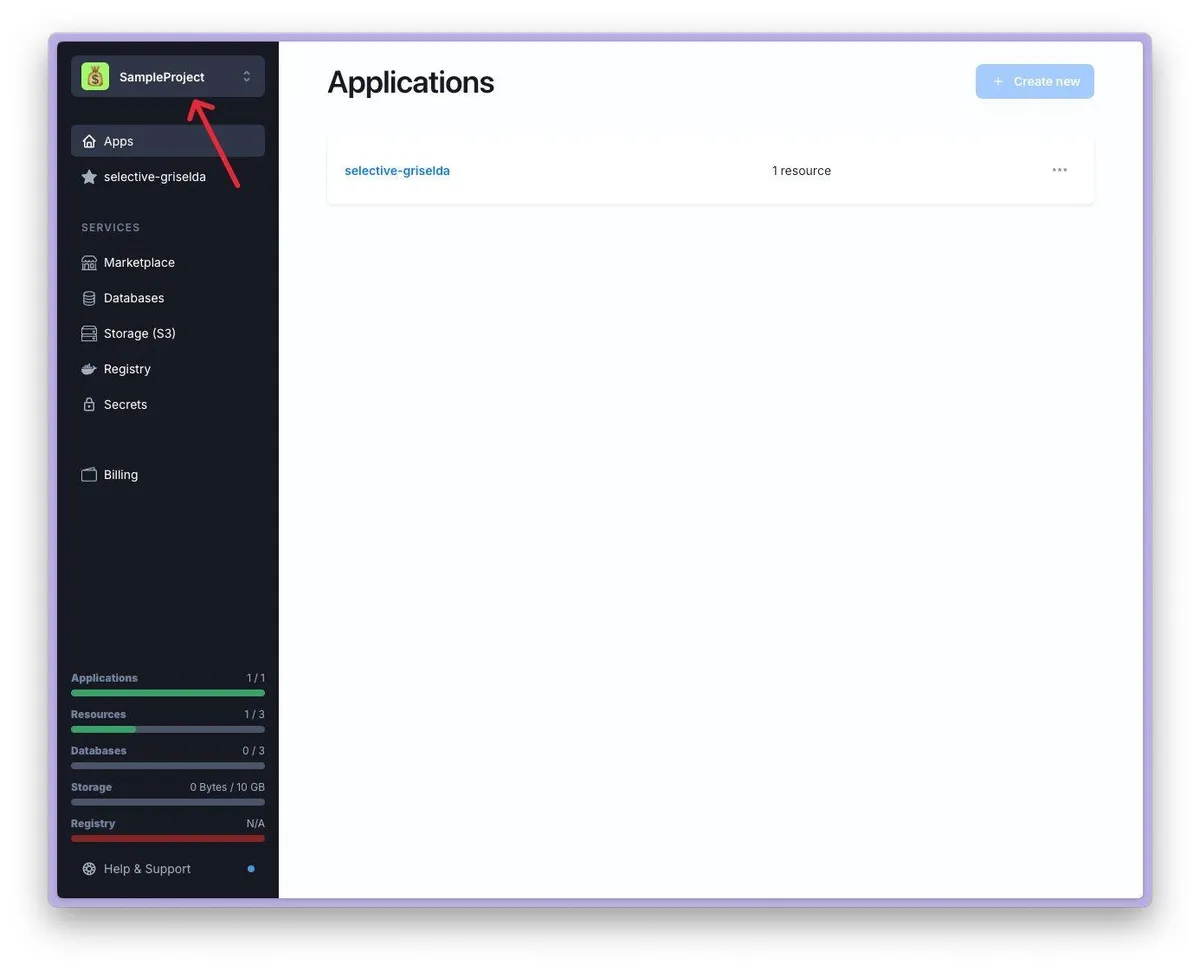
- Click on the project selection menu in the upper left corner.
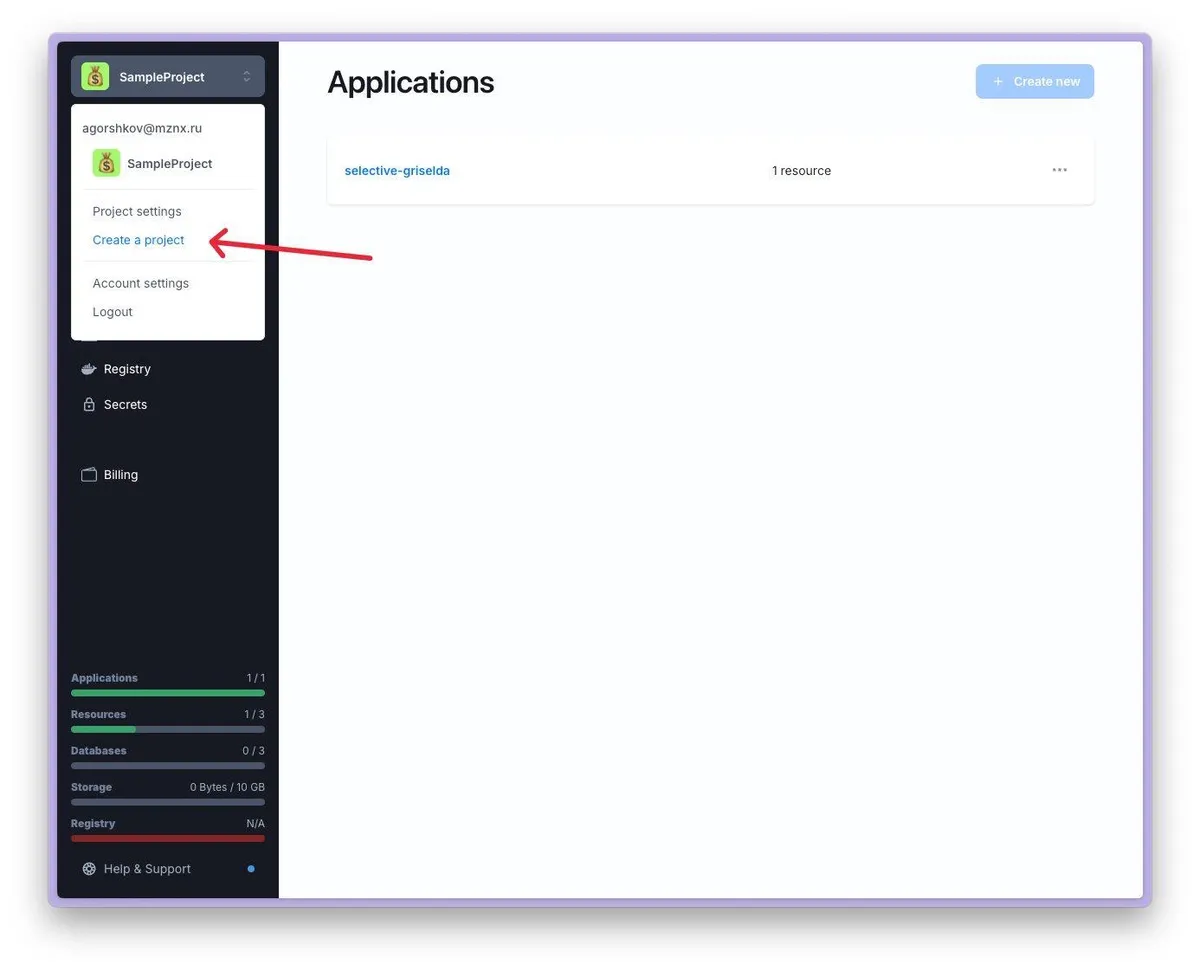
- Select Create a Project from the drop-down menu.
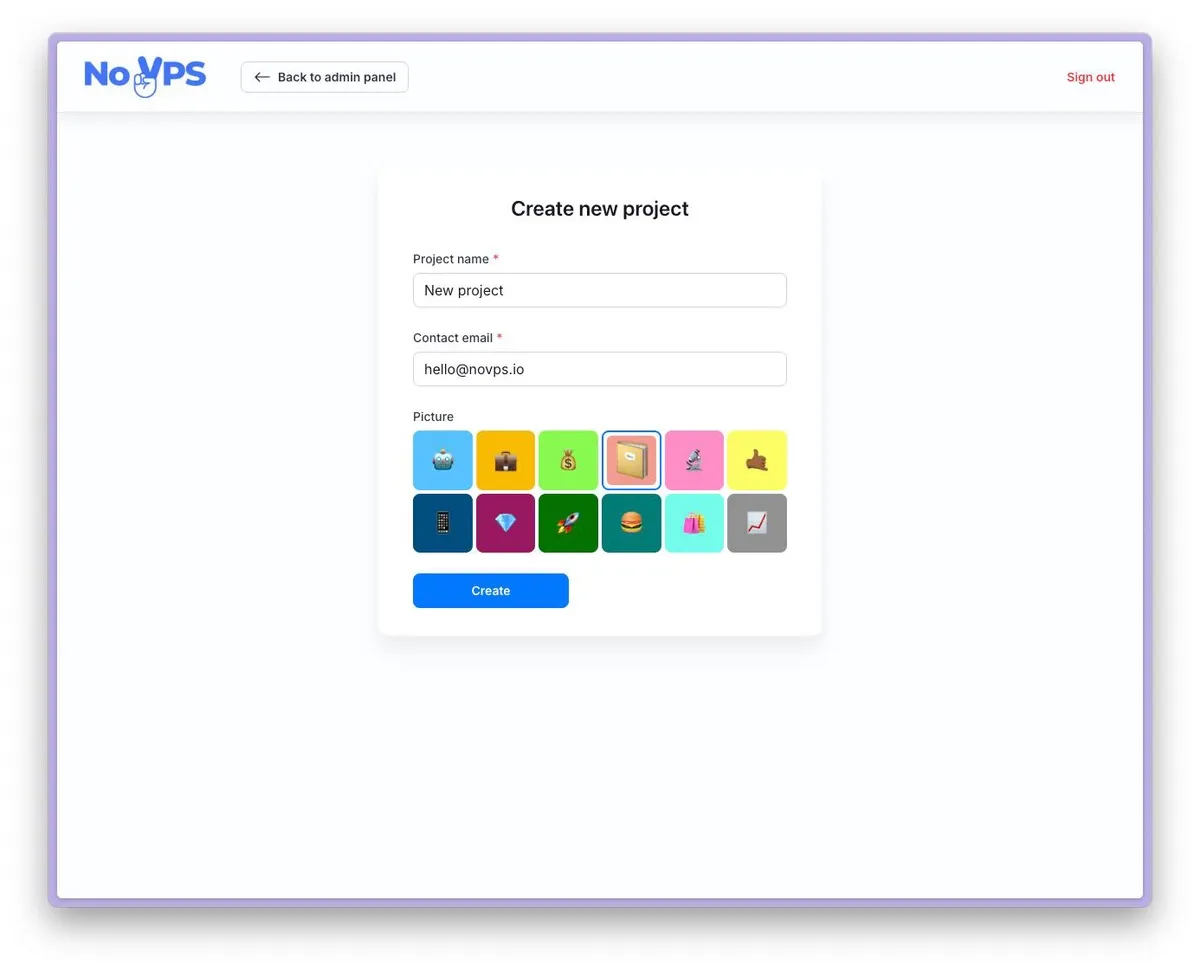
- Enter the name of the new project, your contact email address, and select an icon. Press Create button
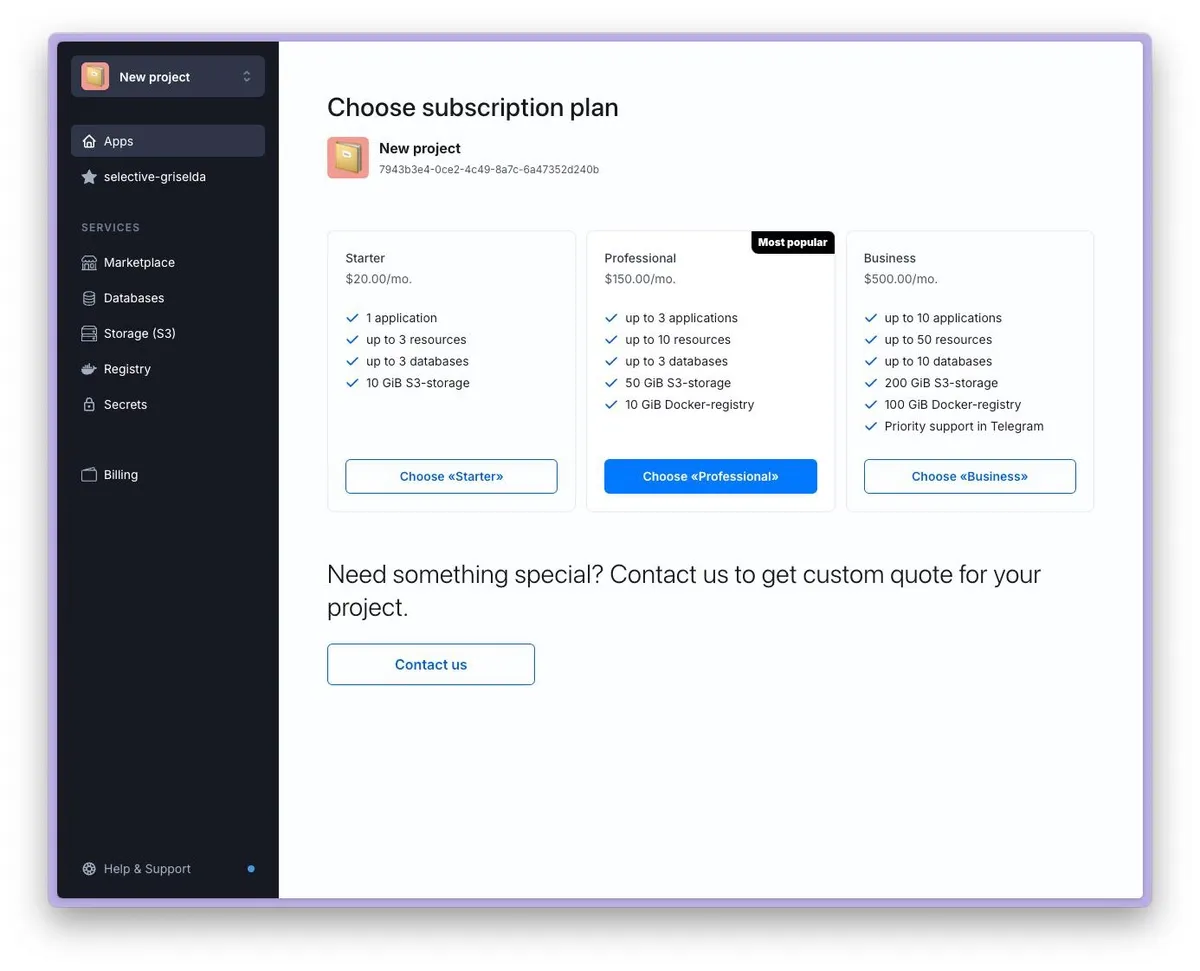
- **Select a suitable pricing plan and pay for it.**If you need a special configuration, click on the Contact us button to get in touch with our managers.
You can still choose a pricing plan to get started without waiting for a response from our specialists. We will include the payment for the selected pricing plan in the cost of the custom configuration.
- Your new project is ready to go. You can change the active project in the top left menu.
Read also
Understanding ProjectsProjects in Granite are the foundation of how your applications and resources are organized within the platform...PricingMonthly subscriptions, shared usage credits, extra credits and plan limits.Ownership and Access ControlShort description of project ownership and access controlHow to invite new member to ProjectThis article explains how to invite a new user to your project.